Adobe Express Social Media Scheduler Review: Good Design Tool, Basic Planner
Adobe Express bundles a free planner with its design tools. Where the scheduler is genuinely enough, where it stops short, and how it compares.
Pros
- Strong design tools tied into Photoshop, Lightroom and Firefly AI
- Scheduling and the content calendar are included on the free plan
- You design and schedule without leaving the editor
- Good fit if you already use Adobe products
- Premium bundles design and scheduling for one low price
Cons
- Scheduling is basic next to a dedicated tool
- No evergreen recycling and no AI refresh of recycled posts
- No detailed analytics and no approval workflows
- Smaller template library than Canva
- Only good value if you want the design suite too
On this page
Is the Adobe Express social media scheduler any good?
Adobe gives the scheduler away free inside Express. The catch is what it leaves out. The Adobe Express social media scheduler is good for basic work and nothing more. It lets you plan, preview and publish posts to Facebook, Instagram, X, Pinterest, LinkedIn and TikTok straight from the design editor. Scheduling is included on the free plan, which is rare. It suits creators and small teams who want to design a graphic and schedule it in one place. It has no evergreen recycling and almost no analytics, so it will not replace a dedicated scheduler. We rate Adobe Express 3.5 out of 5.
Key takeaways
| Question | Short answer |
|---|---|
| Overall rating | 3.5 / 5 as a scheduler |
| User ratings | 4.5 / 5 on G2 from 848 reviews. 4.6 / 5 on Capterra from 1,236 reviews. Both cover the whole design suite, not the scheduler |
| Best for | Adobe users who want design and scheduling in one app |
| Biggest strength | Scheduling is free, and it sits inside the design editor |
| Biggest weakness | No recycling, no AI refresh, almost no analytics |
| Entry price | $0 free plan. Premium is $9.99/mo |
| Platforms | Facebook, Instagram, X, Pinterest, LinkedIn, TikTok |
Ratings and prices checked July 2026.
What Adobe Express is
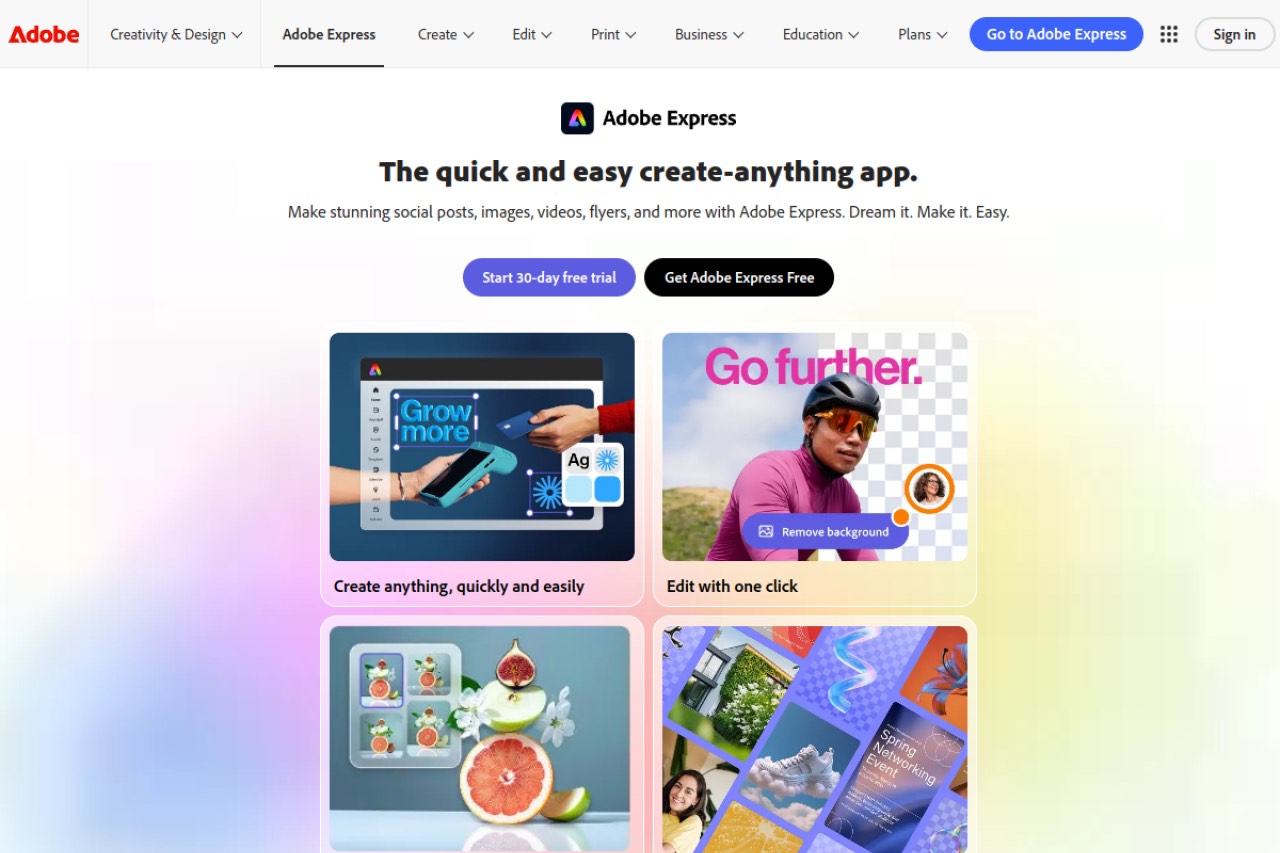
Adobe Express, once called Adobe Spark, is a web and mobile design tool. It helps people who are not designers make good-looking graphics, videos and social posts fast. It targets the same audience as Canva: marketers, creators and small-business owners who want polished visuals without learning Photoshop.
Adobe added a built-in scheduler in 2022. That turned Express from a pure design tool into a light design-and-publish hub. The scheduler is not sold on its own. It lives inside the editor, so you design a post and schedule it without switching apps. That tight fit is the main selling point. It is also why the scheduling stays deliberately simple.
Adobe Express scheduling features worth knowing about
The scheduler has three real parts: a content calendar, multi-platform publishing and the design-to-schedule flow. Here is what each does and where it stops short.
The Adobe social media planner and content calendar
The Adobe social media planner is a visual calendar inside Express. You see scheduled and published posts on a monthly or weekly grid. You can drag posts to new dates and view every connected channel in one place. It covers the core planning job. It has no recurring time-slot queues and no evergreen library that cycles content on its own.
Supported platforms
Adobe Express schedules to six networks: Facebook, Instagram, X, Pinterest, LinkedIn and TikTok. That is a wider list than most design tools offer, and it covers the channels most small businesses use. Instagram and TikTok publishing run through Adobe's approved API links, not third-party workarounds.
Adobe Express as an Instagram scheduler
Adobe Express schedules Instagram posts through Adobe's approved API connection, so posts publish on time without reminder-app workarounds. You design the graphic in the editor, preview how it will look on Instagram, and queue it from the same screen. What it lacks is an Instagram feed grid preview: the calendar shows posts by date, not how your profile grid will look once they publish. If feed aesthetics drive your Instagram strategy, an Instagram-first planner does that job better; our Later review covers the strongest one.
The design-to-schedule workflow
This is the reason to use Adobe Express as a scheduler at all. You build a graphic in the editor using templates, Firefly AI image generation and your brand kit. Then you click Schedule without leaving the canvas. There is no export, no reupload and no app-switching. If most of your posts are custom graphics, that saves real time.
Generative AI social media posts with Firefly
Adobe Express generates social media visuals with Firefly, Adobe's generative AI, from inside the same editor you schedule from. You type a prompt, get an image or a design element, drop it into your post and queue it. Premium at $9.99/mo includes Firefly AI credits for heavier use. The boundary matters: Firefly generates visuals, not words. Adobe Express does not write captions from your existing content, and it does not rewrite a scheduled post before it repeats, because nothing repeats.
Publishing and what it leaves out
The scheduler handles the mechanics well enough. Pick a date and time, preview how the post will look on each network, add captions and hashtags, then queue it. Posts go out on time.
What you do not get is post-level analytics, an evergreen recycle option, approval workflows or AI rewriting. It publishes and forgets. It is not a growth or automation engine.
What Adobe Express costs in 2026
Adobe Express is priced as a design suite. Social scheduling is included at every tier, including the free plan. You are paying for design tools and getting scheduling thrown in.
| Plan | Price | What you get |
|---|---|---|
| Free | $0/mo | Design editor, templates, content calendar and social scheduling |
| Premium | $9.99/mo | Full template and asset library, Firefly AI credits, brand kit, plus all scheduling features |
The $9.99/mo Premium price comes from Adobe Express's Capterra listing. Adobe's own pricing page timed out on our checks, so treat it as a Capterra figure and verify before you buy. Promotional and annual rates vary. For most people the free plan already covers basic design and scheduling. Premium is worth it mainly for the full asset library and Firefly AI credits. Prices checked July 2026.
Adobe Express pros and cons
Adobe Express is strong on design and convenience, and deliberately thin on scheduling depth. Here is the honest balance.
Pros
- Professional design tools tied into Photoshop, Lightroom and Firefly AI.
- Scheduling and a content calendar are included even on the free plan.
- You design and schedule without leaving the editor.
- Wide platform coverage: Facebook, Instagram, X, Pinterest, LinkedIn and TikTok.
- One low Premium price bundles the design suite and scheduling together.
Cons
- Scheduling is basic next to dedicated tools. There are no queues and no bulk workflows.
- No evergreen recycling and no AI refresh of recycled posts.
- No detailed analytics and no team approval workflows.
- Smaller template library than Canva.
- Only good value if you want the design suite too. It is not a standalone scheduler.
- The scheduler is a secondary feature, so it gets less attention than the editor.
What Adobe Express users say on G2 and Capterra
Adobe Express scores 4.5/5 on G2 from 848 reviews, and 4.6/5 on Capterra from 1,236 reviews. You can read them on the Adobe Express G2 review page and the Adobe Express Capterra review page.
Read both scores carefully. Each one covers the whole Adobe Express design suite, not the social scheduler this review is about. Reviewers on G2 and Capterra alike praise the templates, Firefly AI and the fit with other Adobe products. The scheduler comes up as a handy extra, not the reason people rate it highly.
We cite a review platform only when we read the score off its own page. Ratings checked July 2026.
Adobe Express compared to Canva for scheduling
Adobe Express and Canva are close rivals. Both are design-first tools with a scheduler bolted on. Adobe Express ties in more tightly with professional Adobe products, so it wins for teams already using Photoshop, Lightroom or Firefly. Canva has a bigger template library and an easier start for beginners. Adobe Express includes scheduling on its free plan, while Canva puts scheduling behind Canva Pro. On scheduling depth the two are about equal, and neither recycles content. See our full Canva social media scheduler review for the detail.
Adobe Express compared to a dedicated scheduler
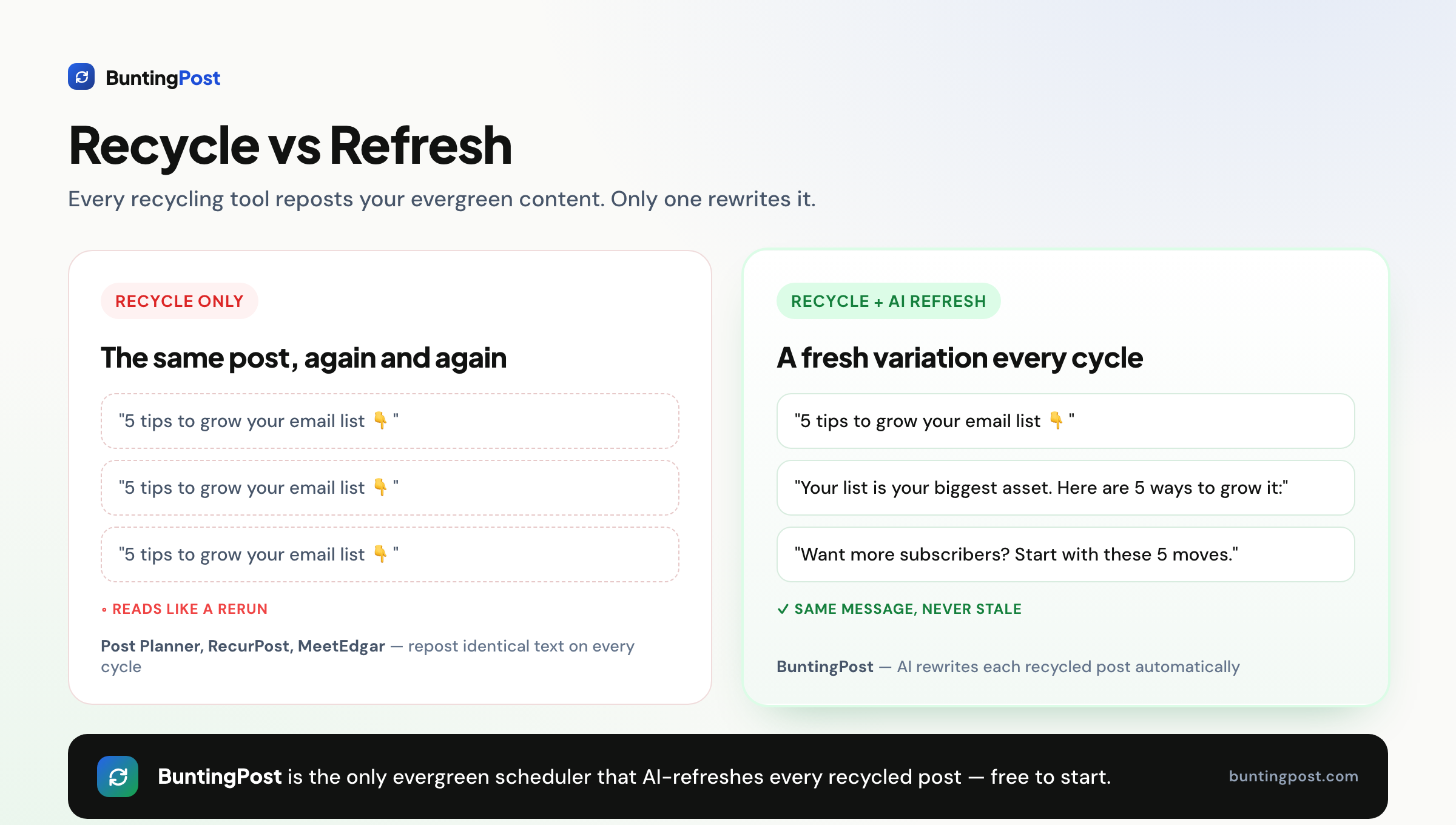
Adobe Express is a design tool with light scheduling attached. It publishes posts on a timetable and shows them on a calendar. It has no evergreen recycling, no recurring time-slot queues and no AI refresh. Repeated posts would read like reruns, so most people simply do not repeat them.
If you want posting to run itself instead of publish-and-forget, you need a different kind of tool. BuntingPost is the LinkedIn autopilot for founders, used by 129+ founders. You connect sources you already publish, such as your testimonial pages, blog RSS, changelog, or X account, and the AI writes LinkedIn posts from them in your voice. Your best posts also go back into rotation, rewritten fresh, never word for word. Every post is held for you to approve, edit, or skip before it publishes. BuntingPost is our product, so read this as the maker's pitch.
One caveat matters. BuntingPost publishes to LinkedIn, including company pages, and to X, with per-post engagement analytics. Instagram is not supported, and other channels may follow. If Instagram or TikTok is your main channel today, stay with Adobe Express or another scheduler that covers them.
| Feature | Adobe Express | BuntingPost |
|---|---|---|
| Core purpose | Design tool with light scheduling | LinkedIn autopilot for founders |
| Design editor | Full editor with Firefly AI and a brand kit | None. Bring your own graphics |
| AI writes from your existing content | No | Yes. Testimonials, case studies, blog RSS, changelog, X account |
| Evergreen recycling | No | Yes, on paid plans. Best posts rerun, rewritten fresh |
| AI refresh of recycled posts | No | Yes. Every repost rewritten fresh, held for approval |
| Supported platforms | Facebook, Instagram, X, Pinterest, LinkedIn, TikTok | LinkedIn (profiles and company pages) and X. No Instagram |
| Free plan | Yes, $0 | Yes. 4 AI-written posts a month from 1 source, no card. You publish by copy-paste |
| Paid price | $9.99/mo (Premium, per Capterra) | Pay once: Starter $49, Pro $99 |
The three-year cost, worked out
Adobe Express Premium at $9.99/mo costs about $360 over three years. BuntingPost Starter is $49 once, so three years costs $49. That is a saving of $311, or 86%. Adobe Express also has a genuine $0 tier that includes scheduling, which is a real advantage. The point is what each buys you. No Adobe tier adds recycling, AI refresh, or writing from your own content at any price. BuntingPost's $49 puts one LinkedIn profile on autopilot: 15 posts a month written from up to 3 of your sources, evergreen rotation, and a review window on every post.
Who should use Adobe Express
Adobe Express fits some workflows well and others badly. Here are the verdicts.
- Good for Adobe users: if you already use Photoshop, Lightroom or Firefly, Express shares your assets and brand kit.
- Good for design-led creators: if most of your posts are custom graphics, the design-to-schedule flow saves real time.
- Good for solo publishers on a budget: the free plan gives you a design editor and basic scheduling at no cost.
- Wrong for evergreen recyclers: if you want your best content to repeat with fresh AI variations, use a recycling scheduler instead.
- Wrong for data-driven teams: if analytics, approvals and reporting drive your work, Express is too light.
Frequently asked questions
What the scheduler can do
Is Adobe Express good for social media scheduling?
Does Adobe Express have a social media planner?
Does Adobe Express repost content automatically?
Price and value
Is the Adobe Express scheduler free?
Can I use Adobe Express only for scheduling?
Ratings and comparisons
What rating does Adobe Express have?
Adobe Express or Canva for scheduling?
Our verdict on Adobe Express
Adobe Express earns 3.5 out of 5 stars. It is a capable design tool with a convenient built-in scheduler, and including scheduling on the free plan is a genuine win. The design-to-schedule flow helps if you already create graphics in the Adobe ecosystem. It loses points as a scheduler. No evergreen recycling, no AI refresh and thin analytics keep it well behind dedicated tools. Use Adobe Express to design and publish. If your platforms are LinkedIn and X, pair it with BuntingPost, the LinkedIn autopilot for founders. It writes posts from content you already publish, puts your best posts back into rotation rewritten fresh, and holds every post for your approval. Our guide to the best free social media scheduler covers the wider field.
Disclosure: BuntingPost is our product. Where it appears in the comparisons and recommendations above, read it with that in mind. Prices, limits, and ratings for every tool, ours included, are checked against the sources named on this page. Read how we review.
Made it this far? Take the swipe file
30 LinkedIn post prompts for founders, organized by source: your changelog, your customers, your numbers, your opinions. The link is yours immediately, plus the occasional practical guide on LinkedIn for founders.
Optional. No spam, unsubscribe anytime.




