7 RecurPost Alternatives for When Recycled Posts Sound Recycled
RecurPost replays your posts word for word. Seven alternatives compared, including one that rewrites every repeat fresh for $49 once.
Updated August 4, 2026 · By Aditi Chaturvedi
On this page
The best RecurPost alternatives in 2026
The best RecurPost alternative is BuntingPost, because it fixes the one thing RecurPost cannot do. RecurPost replays your saved posts word for word. BuntingPost rewrites each one before it goes out again, so the same idea keeps working without sounding like a rerun. It goes further than recycling, too: it is the LinkedIn autopilot for founders, writing new posts from sources you already publish, such as your blog RSS, changelog, or X account. There is a free plan, and the paid Starter plan is $49 once instead of a monthly bill. It publishes to LinkedIn and X only, so the six other tools below are worth a look if you need Instagram today, a bigger platform list, or plain scheduling.
Key takeaways
| Question | Short answer |
|---|---|
| Best overall RecurPost alternative | BuntingPost, the LinkedIn autopilot for founders. It is the only tool here that rewrites recycled posts with AI, and it writes new posts from content you already publish. |
| Cheapest over three years | BuntingPost Starter at $49 once. RecurPost Starter is $9/mo, or $324 over three years. |
| Best free option | RecurPost Free (3 profiles, 10 recurring posts) or Buffer Free (3 channels). BuntingPost Free writes 4 posts a month, but you publish them by copy-paste. |
| Biggest RecurPost gripe | Reporting and approval sit on the top Agency plan, not the entry plan. |
| Main BuntingPost limit | BuntingPost publishes to LinkedIn and X only. It does not support Instagram. |
Ratings and prices checked July 2026. All ratings come from G2 and Capterra.
Problems with RecurPost
RecurPost does real evergreen recycling at a low entry price. Reviewers still raise the same five problems. Here they are, most common first.
- Analytics and approval sit on the top plan. Detailed reporting and the approval workflow are reserved for the Agency tier. Solo users on the entry plan cannot see proper reports or route a post for review. RecurPost does not publish an Agency price we could verify, so we do not quote one.
- Instagram needs a workaround. Instagram posting is not as clean as on other networks. Reviewers describe a phone notification or DM step instead of straight auto posting. That adds friction if Instagram is your main channel.
- Profiles disconnect, sometimes quietly. A connected account can lose its authorisation and stop posting. Users report it happens without a clear alert. Your evergreen queue then stops running and you may not notice for days.
- The price has climbed. Long term users say RecurPost costs more than it used to. That weakens its original pitch as the cheap recycling option.
- Recycled posts repeat word for word. RecurPost replays the same library entry each cycle. There is no rewrite step. Your audience sees the exact same wording again. This is the biggest complaint across the whole recycling category.
None of this makes RecurPost a bad tool. It rates 4.7/5 on G2 from 65 reviews, and 4.7/5 on Capterra from 170 reviews.
How modern tools solve these problems
Each RecurPost pain point has a fix. Here is what to look for in a replacement.
- Reporting locked to the top plan. Pick a tool that includes analytics on the entry plan. BuntingPost Starter includes engagement analytics for $49 once.
- Instagram workaround. Pick a tool that posts to Instagram directly, or one that says plainly it does not. Publer posts to Instagram today. BuntingPost does not.
- Quiet disconnects. Look for clear alerts when an account drops its connection. Test this in a trial before you commit.
- Rising prices. A one time price removes the risk. BuntingPost Starter is $49 once, so three years costs $49.
- Repeated wording. Look for an AI rewrite step. BuntingPost writes a fresh version of each post before it runs again, then holds it for your review.
What to look for in a content recycling tool
Judge every RecurPost alternative against these six criteria. Each one maps to a real RecurPost weakness.
1. True evergreen recycling
The tool must let you build a library that cycles forever. A finite queue of one off posts is not the same thing. This is RecurPost's core feature, so any replacement has to match it.
2. A rewrite step, not just a replay
Recycling replays the same post. Without a rewrite, your audience sees identical wording. Look for AI rewriting, or at least Spintax style variation.
3. Clear, flat pricing
Avoid pricing that climbs as you add profiles. Avoid plans that hide reporting behind an agency tier. Check the total cost over three years, not the monthly sticker price.
4. Analytics on the entry plan
You need to know which recycled version performed best. That data should come with the cheapest paid plan, not the most expensive one.
5. A free plan you can actually use
Free recycling has nearly vanished from this category. Check the account limit and the post limit before you sign up. A free plan with no recycling does not replace RecurPost.
6. Honest platform coverage
Confirm which networks post automatically and which need a manual step. If Instagram, Pinterest or Google Business Profile matter to you, check them one by one.
How we evaluate RecurPost alternatives
RecurPost's draw is recycling, so recycling claims get the closest reading here. The rest follows our standard checks:
- Recycling: each tool's recycling and re-queue behaviour is taken from its own docs, including what its free tier still includes.
- Pricing: from vendor pricing pages, with the three-year total worked out on annual billing.
- Plan changes: free tiers that shrank or disappeared are dated and flagged, because this category changes fast.
- Ratings: from G2 and Capterra, opened and verified, with review counts shown. Scores we cannot confirm are left out.
- Ownership: BuntingPost is our product. It appears in this list with that disclosure, and it is never placed above a tool that beats it on the point being compared.
The 7 best RecurPost alternatives in 2026
The seven strongest RecurPost alternatives are BuntingPost, MeetEdgar, SocialBee, Publer, Post Planner, SmarterQueue and Buffer. Each profile below covers features, pros, cons, price, ratings and who it suits.
1. BuntingPost: best for AI rewritten evergreen posts on LinkedIn and X
BuntingPost is the LinkedIn autopilot for founders, used by 129+ founders. Its evergreen engine covers RecurPost's core job: your best posts go back into rotation, and the AI writes a fresh version every cycle, held for your review before it publishes. It is the only tool in this list that rewrites recycled posts. It also does something RecurPost cannot: you connect sources you already publish, such as your testimonial pages, blog RSS, changelog, or X account, and the AI writes new LinkedIn posts from them in your voice, under plain-English instructions you set once. BuntingPost is our product, so read this entry as the maker's pitch.
Key features
- Evergreen rotation where your best posts run again, rewritten fresh, never word for word
- AI writes new LinkedIn posts from connected sources: testimonials, case studies, blog RSS, changelog, X account, lead magnets
- Review window on every post: approve, edit or skip before it goes out
- Voice profile built from your published posts, so new posts sound like you
- X to LinkedIn repurposing that rewrites posts for LinkedIn's format, never cross-posts
- Per post engagement analytics
Pros
- The only tool here that rewrites each recycled post
- Writes new posts from content you already have, not just a saved library
- One time price, so three years costs $49 on Starter
- Free plan with no card required
- Analytics included on the entry paid plan
- Nothing publishes without your approval unless you turn that off
Cons
- Publishes to LinkedIn and X only; other channels may follow
- Instagram is not supported, so Instagram heavy accounts should look elsewhere
- The free plan does not publish for you: 4 AI-written posts a month, posted by copy-paste
- New product with no third party review score yet
Pricing: Free is $0 forever, no card: 1 connected source, 4 AI-written posts a month, and a voice profile, with publishing by copy-paste. Starter is $49 once for 1 LinkedIn profile on autopilot, 3 sources, 15 posts a month, and X to LinkedIn repurposing. Pro is $99 once and adds a company page, unlimited sources, 31 posts a month per account, and AI insights. Agency is $199 once for 5 LinkedIn accounts across client workspaces. Paid plans carry a 7 day money back guarantee. There are no monthly fees.
User reviews: No verified third party rating yet. BuntingPost is new and has not built a review base. See our guide to AI social media schedulers for how AI rewriting works in practice.
Best for: founders and solo brands whose platforms are LinkedIn and X and who want posting to run itself from content they already have.
2. MeetEdgar: best for category bucket recycling

MeetEdgar invented the category bucket approach to recycling. You sort posts into buckets, and Edgar pulls from each bucket on a schedule. It is a clean set and forget option, but it is the most expensive tool in this list.
Key features
- Category buckets that recycle from an unlimited library
- RSS import to fill categories automatically
- A/B testing of post variations
- Inky, a built in AI caption assistant
Pros
- Clean set and forget automation
- Established brand with a long track record
- RSS auto fill saves setup time
- Built in A/B testing
Cons
- No free plan and the highest entry price here
- Limited control over each individual post
- Fewer platforms than most rivals
- Recycled posts still replay the same wording
Pricing: The Eddie plan is $29.99/mo billed monthly, or $24.91/mo billed annually. Over three years that is about $897 on annual billing. There is no free plan.
User reviews: 4.3/5 on G2 from 57 reviews, and 4.6/5 on Capterra from 39 reviews.
Best for: teams that want proven category recycling and will pay a premium for it.
3. SocialBee: best for AI generated content plans
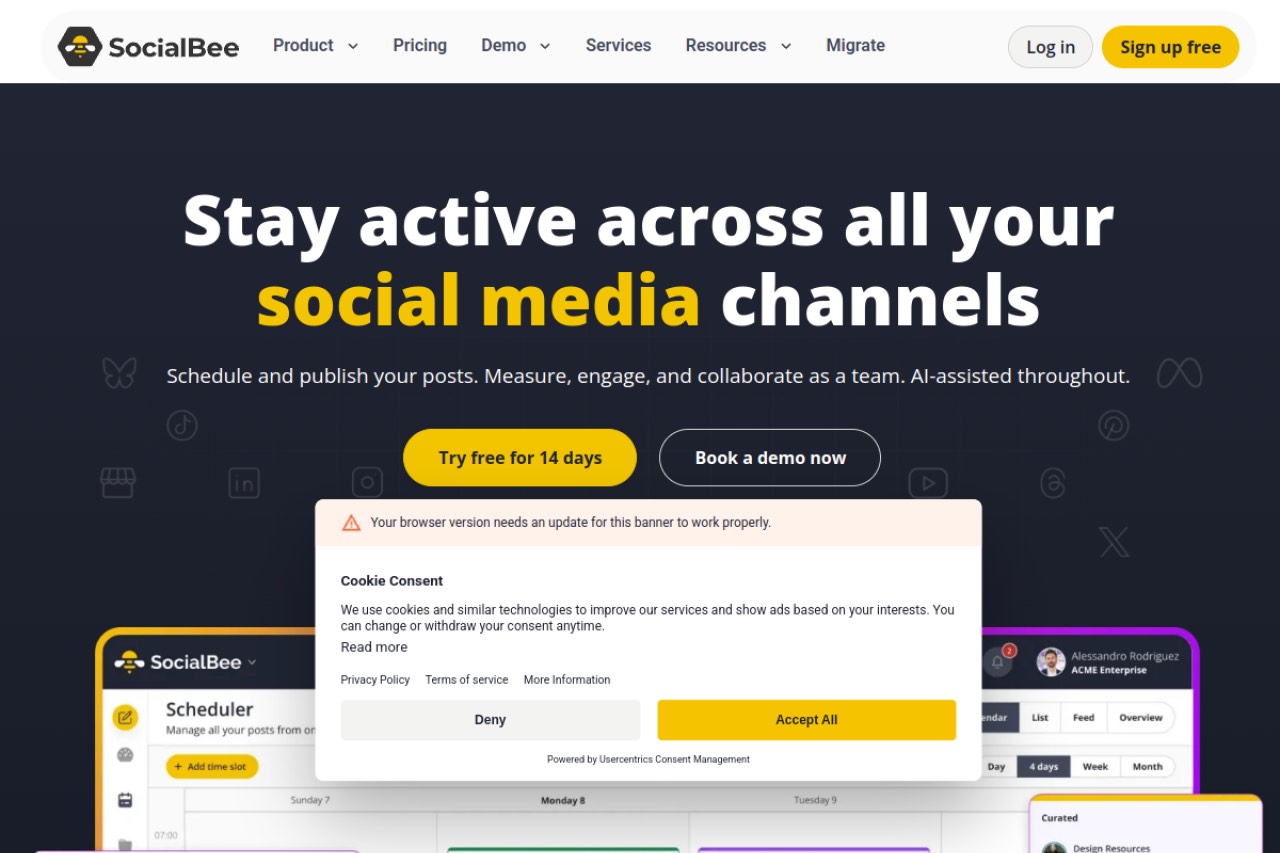
SocialBee combines category based recycling with the strongest AI writing of the group. Its AI Copilot can write a whole posting plan for you. There is no free plan, but the feature list is deep for the price.
Key features
- Category based evergreen recycling
- AI Copilot that generates a full content plan
- RSS to social content sourcing
- Post preview per network
Pros
- Strongest AI writing of the recycling tools
- Category recycling works well
- Good value for a solo user
Cons
- No free plan, only a trial
- One workspace on the entry tier
- Takes time to learn
- AI writes new posts. It does not rewrite recycled ones
Pricing: The Bootstrap plan is $29/mo. Over three years that is $1,044. There is no free plan.
User reviews: 4.7/5 on G2 from 478 reviews, and 4.4/5 on Capterra from 39 reviews.
Best for: solo marketers who want AI to write a whole content plan on top of recycling.
4. Publer: best cheap scheduler with Spintax

Publer is the cheapest capable cloud scheduler in this list. It adds freshness through Spintax, which swaps words in a caption so each cycle differs a little. Recycling is a side feature rather than the main event, but the integrations are strong.
Key features
- Recycling with Spintax caption variations
- Bulk scheduling and thread scheduling for X
- AI image generation
- Canva, Google Drive and Dropbox integrations
- Link in bio pages
Pros
- Lowest entry price of the capable tools
- Spintax gives more variation than a plain replay
- Strong integrations and fast support
- Posts to Instagram directly
Cons
- Recycling is a side feature, not the focus
- Recurring posts need a higher plan
- Spintax is manual. You write the variations yourself
- Pricing is usage based, so your bill depends on volume
Pricing: The Professional plan starts at $5/mo for 1 account. Pricing is usage based, so it rises with accounts and volume. There is a free tier.
User reviews: 4.7/5 on G2 from 521 reviews, and 4.8/5 on Capterra from 957 reviews. That Capterra score is one of the highest in the category.
Best for: budget users who want broad integrations and only light recycling.
5. Post Planner: best for curated post ideas

Post Planner pairs a content discovery engine with evergreen recycling. It suggests posts that performed well in your niche, then queues them. The price is low, but the interface is dated and the reporting is thin.
Key features
- Content discovery and curation by niche
- Evergreen recycling and re posting
- Queue scheduling with a calendar and buckets
Pros
- Unique content curation engine
- Recycling included at a low price
- Well rated support
Cons
- Dated interface
- Weak analytics and no social inbox
- No approval or collaboration workflow
- Suggestions repeat, which cuts into the freshness benefit
Pricing: The Starter plan is $9/mo billed annually, or $14/mo billed monthly. Over three years that is $324 on annual billing.
User reviews: 3.9/5 on G2 from 52 reviews, and 4.2/5 on Capterra from 191 reviews. That is the lowest score in this list on both sites.
Best for: creators who want post ideas plus recycling at the lowest monthly price.
6. SmarterQueue: best straight swap for Buffer or Edgar

SmarterQueue markets itself as a direct replacement for Buffer and MeetEdgar. It combines evergreen categories with content curation. It is a close match for RecurPost's recurring slot model.
Key features
- Content recycling with evergreen categories
- Built in content curation
- Queue based scheduling
- Post level performance reporting
Pros
- Built for recycling from the start
- Curation included, so the library fills faster
- High review score
Cons
- No free plan
- Recycled posts replay the same wording
- Small review base compared with Buffer or Publer
Pricing: Pricing not published in USD on the vendor site. The page defaults to pounds, so we do not quote a dollar figure. Check SmarterQueue's pricing page in your own currency.
User reviews: 4.6/5 on G2 from 38 reviews, and 4.8/5 on Capterra from 134 reviews.
Best for: people leaving Buffer or MeetEdgar who want recycling and curation together.
7. Buffer: best for simple scheduling
Buffer is the simplest scheduler in this list and has a permanent free plan. That makes it a common fallback. The catch is large: Buffer has no recycling at all. It replaces RecurPost's scheduling, not its evergreen engine.
Key features
- Simple scheduling across the major networks
- Light AI writing assistant
- Community inbox on paid tiers
- Clean calendar and queue
Pros
- Easiest tool here to learn
- Permanent free plan for 3 channels
- Reliable publishing
- Largest review base in this list
Cons
- No content recycling at all, which is the whole point of RecurPost
- Thin analytics
- Per channel pricing adds up quickly
Pricing: The Essentials plan is $5/mo per channel billed annually. Three channels for three years costs $540. There is a free plan for 3 channels.
User reviews: 4.3/5 on G2 from 1,039 reviews, and 4.5/5 on Capterra from 1,492 reviews.
Best for: people who want plain scheduling and do not need evergreen recycling.
RecurPost vs BuntingPost, side by side
Both tools centre on an evergreen library. They split on three things: whether posts get rewritten, when analytics unlock, and how you pay.
| Feature | BuntingPost | RecurPost |
|---|---|---|
| Evergreen recycling | Yes, on paid plans | Yes, on every plan |
| AI rewrite of recycled posts | Yes, every cycle | No, same wording replays |
| New posts written from your content sources | Yes, from blog RSS, changelog, X, and more | No |
| Review before publishing | Every post held for approval | Approval on the Agency plan only |
| Free plan | 4 AI-written posts a month, published by copy-paste | 3 profiles, 10 recurring posts |
| Analytics | Included on Starter | Agency plan only |
| Not supported | Supported with a workaround | |
| Entry paid price | $49 once | $9/mo |
| Three year cost | $49 | $324 |
Do the math on that last row. BuntingPost Starter costs $49 once, so three years costs $49. RecurPost Starter at $9/mo costs $324 over the same three years. That is a saving of $275, or 85%. Prices checked July 2026.
How to choose the right RecurPost alternative
Answer these four questions in order. The first one you answer yes to gives you your tool.
Do you want recycled posts to stop repeating?
- Yes, rewrite them for me. Choose BuntingPost. It is the only tool here that writes a fresh version each cycle and holds it for your review.
- Yes, but I will write the variations. Choose Publer. Spintax lets you supply alternate wording by hand.
- No, replaying is fine. Choose MeetEdgar or SmarterQueue. Both recycle well without a rewrite step.
Is Instagram essential today?
- Yes. Choose Publer. It posts to Instagram directly. RecurPost also covers Instagram, but with a manual step.
- No, LinkedIn or X is my main channel. Choose BuntingPost. It publishes to LinkedIn, including company pages, and to X. Other channels may follow.
Do you need to spend nothing?
- Yes, and I need recycling. Choose RecurPost Free. It recycles 10 posts across 3 profiles. BuntingPost Free writes posts from your content, but you publish them by copy-paste.
- Yes, and plain scheduling is enough. Choose Buffer Free or Publer Free.
Do you hate monthly bills?
- Yes. Choose BuntingPost Starter at $49 once. It is the only one time price in this list.
- No, monthly is fine. Publer and Post Planner have the lowest monthly entry prices at $5/mo and $9/mo.
Use case cheat sheet
| Your situation | Pick | Why |
|---|---|---|
| Recycled posts sound stale | BuntingPost | Rewrites every post before it runs again |
| You hate monthly bills | BuntingPost | $49 once, so three years costs $49 |
| You want to spend nothing | RecurPost Free or Buffer Free | Both publish free; BuntingPost Free only writes posts, and you publish by copy-paste |
| LinkedIn posts written from your blog, changelog or X | BuntingPost | Connect the source once; posts arrive for review |
| You need analytics on a budget | BuntingPost | Analytics included on the $49 Starter plan |
| Instagram is your main channel | Publer | Posts to Instagram directly, from $5/mo |
| You want set and forget buckets | MeetEdgar | Invented category bucket recycling |
| You want AI to plan your content | SocialBee | AI Copilot writes a whole posting plan |
| You want the lowest monthly price | Publer | Professional starts at $5/mo for 1 account |
| You want post ideas served to you | Post Planner | Curated suggestions plus recycling at $9/mo |
| You are leaving Buffer or Edgar | SmarterQueue | Built as a direct swap, 4.8/5 on Capterra |
| You only need plain scheduling | Buffer | Simplest tool here with a free plan |
| You manage many client brands | SocialBee or MeetEdgar | Both handle multiple accounts and buckets |
Frequently asked questions
Picking a tool
What is the best RecurPost alternative?
Which alternative stops recycled posts sounding repetitive?
Is RecurPost still worth using?
Price and free plans
Is there a free RecurPost alternative?
How much cheaper is BuntingPost than RecurPost?
Why does RecurPost keep analytics on the Agency plan?
Platforms and features
Is RecurPost good for Instagram?
Which platforms does BuntingPost publish to?
Do any of these tools recycle for free?
The bottom line
RecurPost is a solid recycling tool at a low monthly price. Its weak points are real, though. Reporting and approval sit on the top plan, Instagram needs a manual step, and every recycled post repeats word for word. If that last one is your problem, BuntingPost is the better choice. It rewrites each post before it runs again, writes new LinkedIn posts from content you already publish, and includes analytics on a $49 one time plan. There is a free plan you can test with no card, though the free plan writes posts rather than publishing them. The trade off is honest: it publishes to LinkedIn and X only. If free options matter most, our guide to the best free social media schedulers compares the whole category.
Disclosure: BuntingPost is our product. Where it appears in the comparisons and recommendations above, read it with that in mind. Prices, limits, and ratings for every tool, ours included, are checked against the sources named on this page. Read how we review.
Made it this far? Take the swipe file
30 LinkedIn post prompts for founders, organized by source: your changelog, your customers, your numbers, your opinions. The link is yours immediately, plus the occasional practical guide on LinkedIn for founders.
Optional. No spam, unsubscribe anytime.




