7 Post Planner Alternatives That Don't Serve the Same Post Twice
The most common Post Planner complaint is reruns. Seven alternatives compared on recycling, verified G2 and Capterra ratings, and real prices.
Updated August 4, 2026 · By Aditi Chaturvedi
On this page
The best Post Planner alternatives in 2026
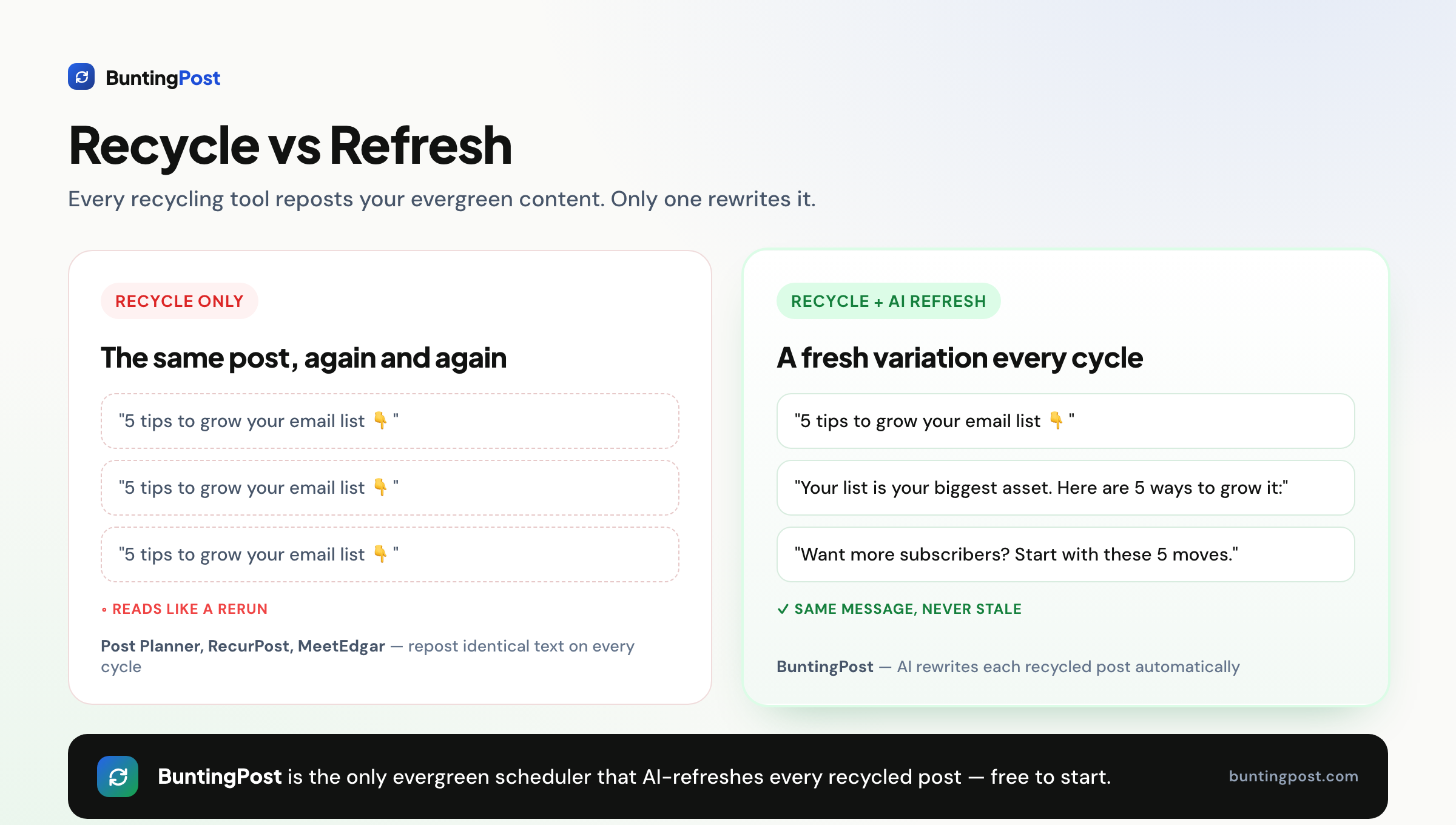
The complaint Post Planner users raise most is seeing the same post go out again, word for word. The best Post Planner alternative in 2026 is BuntingPost, if your platforms are LinkedIn and X. It is the LinkedIn autopilot for founders, and its evergreen engine fixes the complaint people raise most about Post Planner. Instead of serving the same recycled post again, it rewrites a fresh version and holds it for your approval.
Post Planner is still a working tool. It curates content by niche and recycles it on a schedule. But its suggestions repeat, its analytics are thin, and it rates 3.9/5 on G2 from 52 reviews and 4.2/5 on Capterra from 191 reviews, which is mid-pack for this category.
One caveat first. BuntingPost publishes to LinkedIn, covering profiles and company pages, and to X. Instagram is not supported, and other channels may follow. If you post to several networks right now, weigh the other six tools below.
| Question | Short answer |
|---|---|
| Best overall alternative | BuntingPost, if your platforms are LinkedIn and X. Starter costs $49 once. |
| Cheapest paid recycling | RecurPost Starter at $9/mo. |
| Best free option | Publer or Buffer. BuntingPost's free plan writes posts, but you publish them yourself by copy-paste. |
| How Post Planner rates | 3.9/5 on G2 from 52 reviews, and 4.2/5 on Capterra from 191 reviews. |
| What Post Planner costs | Starter is $9/mo on annual billing, or $14/mo monthly. |
Ratings and prices checked July 2026.
Problems with Post Planner
Six problems come up again and again in Post Planner reviews. They cluster around freshness, reporting and billing.
- Recycled posts repeat. The engine re-serves the same or very similar content each cycle. It reposts rather than rewrites, so your feed starts to read like a rerun.
- A dated interface. Reviewers call the design old-fashioned and harder to navigate than newer tools. First-time setup takes longer than it should.
- Weak analytics and no inbox. Reporting is limited and there is no unified inbox. You cannot measure post performance in depth or handle replies inside the tool.
- No approval workflow. There is no built-in sign-off step. That makes Post Planner awkward for agencies or anyone who needs a client to approve posts first.
- Billing complaints. Billing is the most consistent gripe in reviews. Users report confusion over charges, renewals and plan changes.
- Costs climb on higher tiers. The entry plan is cheap at $9/mo on annual billing. The Growth and Business tiers cost a lot more, and the old free plan has been cut back.
Post Planner rates 3.9/5 on G2 from 52 reviews, and 4.2/5 on Capterra from 191 reviews, which is mid-pack here. Sentiment splits sharply. Some users are happy, like Andrew L., who wrote "I am thrilled to be using it". Others are blunt about billing. Read both sides on G2 and Capterra.
"This company is a great example of how unethical companies take advantage of consumers." Michelle C., Post Planner review on Capterra
How modern tools solve these problems
Newer recycling tools refresh content instead of repeating it. They also add review gates and clearer pricing. Here is how each problem maps to a fix.
- Repetitive posts → AI-rewritten variants. BuntingPost rewrites each post every time it recycles. New hook, new wording, same core message.
- Cut-back free plan → real free tiers. Publer and Buffer still run free plans. BuntingPost's free plan writes 4 posts a month from your own content, though you publish those yourself by copy-paste.
- Weak analytics → per-post reporting. BuntingPost includes per-post analytics on its paid plans, so you know which posts deserve a spot in your evergreen rotation.
- No approval step → built-in review gates. SocialBee and RecurPost add team approvals on higher tiers. BuntingPost holds every post for your approval before it publishes.
- Climbing tier costs → pay once. BuntingPost Starter is $49 one time. There is no monthly bill to grow.
- Dated interface → modern calendars. Every tool below ships a cleaner calendar and queue view than Post Planner.
What to look for in a Post Planner alternative
Seven criteria matter here. Weigh each one against how you actually use evergreen content.
1. Real content recycling
Recycling is the core of Post Planner. You group posts into buckets and the tool posts them again on a repeat schedule. Any real alternative has to do this, not just schedule one-off posts.
2. Freshness on repeat cycles
Recycling loses its value if every cycle posts the same words. Look for AI rewriting or Spintax so repeat posts vary.
3. A free or cheap entry point
Post Planner cut back its free plan. If free matters to you, pick a tool that still offers one. Otherwise compare the true cost of the first paid tier.
4. How the price grows
Per-profile and per-channel pricing punishes growth. A flat price or a one-time price keeps your bill predictable as you add accounts.
5. Platform coverage
Check the networks you use. X, Facebook Pages, LinkedIn, Pinterest and Google Business Profile are the common ones. Instagram support varies and often needs a workaround.
6. Analytics you can act on
Weak reporting is a Post Planner complaint. Prefer a tool that reports at the post level and can favour your best-performing version on later cycles.
7. Approval and collaboration
If you work with clients or teammates, you need a sign-off step. Post Planner has none. Decide whether you need a solo review gate or a full team workflow.
How we evaluate Post Planner alternatives
Post Planner's pitch is cheap recycling and content ideas, so those claims get the closest reading:
- Recycling: what each tool actually re-queues, and what its free tier still includes, from vendor docs.
- Pricing: vendor pricing pages, three-year totals on annual billing, no promo rates.
- Content libraries: capacity and category limits from published plan tables.
- Ratings: from G2 and Capterra, opened and verified, with review counts shown. Scores we cannot confirm are left out.
- Ownership: BuntingPost is our product. It appears in this list with that disclosure, and it is never ranked above a tool that beats it on the criterion at hand.
The 7 best Post Planner alternatives in 2026
1. BuntingPost: best for founders on LinkedIn and X
BuntingPost is the LinkedIn autopilot for founders. You connect sources you already publish, such as your testimonial pages, case studies, blog RSS, changelog or X account, and the AI writes LinkedIn posts from them in your voice, following plain-English instructions you set.
The evergreen engine is the part Post Planner users will recognise. Your best posts go back into rotation, rewritten fresh each cycle, never word for word. Every post is held so you can approve, edit or skip it before it goes out. That is the direct fix for Post Planner's repetitive suggestions. It is used by 129+ founders. BuntingPost is our product, so read this entry as the maker's pitch.
Key features
- Connected sources: changelog, blog RSS, X account, testimonial pages, case studies, lead magnets
- AI writes in your voice, under plain-English standing instructions, aimed at the audience you define
- Evergreen engine that reruns your best posts, rewritten fresh, never word for word
- A review window on every post before it publishes
- X-to-LinkedIn repurposing that rewrites posts for LinkedIn's format instead of cross-posting
- Per-post analytics on paid plans
Pros
- Recycled posts are rewritten each cycle, never reposted word for word
- Pay once instead of every month
- Free plan with no card needed
- Nothing publishes without your sign-off until you choose otherwise
Cons
- Publishes to LinkedIn and X only. Instagram is not supported
- The free plan writes posts but does not schedule or publish them. Autopilot publishing starts at $49 once
- New product, so there is no large third-party review record yet
- Team workflows are thin. Client approval links sit on the $199 Agency plan only
Pricing: Free is $0 forever, no card: 1 connected source, 4 AI-written posts a month, and you publish by copy-paste. Starter is $49 once: 1 LinkedIn profile on autopilot, 3 sources, 15 posts a month, X-to-LinkedIn repurposing and per-post analytics. Pro is $99 once and adds a company page, unlimited sources, 31 posts a month per account and AI insights. Agency is $199 once for 5 LinkedIn accounts across client workspaces. Monthly caps do not roll over, and paid plans carry a 7-day money-back guarantee. See BuntingPost pricing for the full list.
User reviews: No verified third-party rating yet.
Best for: founders and solo brands whose platforms are LinkedIn and X, and who want posting to run itself from content they already have.
2. RecurPost: best cheap true recycling

RecurPost is the cheapest tool that does real evergreen recycling. Unlike most rivals, it puts repeating time slots on every plan. It also supports Google Business Profile and white-label reports, which suits local businesses and small agencies.
Key features
- Evergreen libraries and repeating time slots on every plan
- Google Business Profile support
- AI captions and Instagram DM automation
- Social inbox and white-label reports
Pros
- Cheapest paid tool with real recycling
- Repeating slots on all tiers
- Google Business Profile support
- Wide platform list
Cons
- Analytics and approvals sit on the top tier only
- Instagram needs a workaround
- Profiles sometimes disconnect without warning
- Recycled posts repeat the same text
Pricing: Starter is $9/mo. There is a limited free tier.
User reviews: 4.7/5 on G2 from 65 reviews, and 4.7/5 on Capterra from 170 reviews.
Best for: budget users and local marketers who need recycling plus Google Business Profile.
3. MeetEdgar: best for set-and-forget category buckets
MeetEdgar invented category-based recycling. You sort posts into buckets and Edgar cycles them, refilling your queue from your library. It is a clean, established option for people who want to set it up once and leave it alone.
Key features
- Category buckets that recycle from a large library
- RSS import to fill the queue automatically
- A/B testing of post variations
- AI caption generation
Pros
- Genuinely set-and-forget once it is running
- Established brand with a long recycling track record
- RSS auto-fill and A/B testing built in
Cons
- The most expensive entry price in this guide
- No free plan
- Limited control over individual posts
- Fewer platforms than the all-rounders
Pricing: Eddie is $29.99/mo on monthly billing, or $24.91/mo on annual billing.
User reviews: 4.3/5 on G2 from 57 reviews, and 4.6/5 on Capterra from 39 reviews.
Best for: established creators who want simple category recycling and do not mind the price.
4. SocialBee: best for AI-built content plans
SocialBee combines category recycling with the strongest planning AI of this group. Its AI Copilot can write a whole content strategy, and RSS feeds keep your buckets stocked. There is no free plan.
Key features
- Category-based evergreen recycling
- AI Copilot that generates full content strategies
- RSS feeds that fill your categories automatically
Pros
- Strong AI planning tools
- Category recycling done well
- Good feature set for the price
Cons
- No free plan
- Entry tier covers only 1 workspace
- Sections of the interface look alike, so there is a learning curve
- Support can be slow outside EU hours
Pricing: Bootstrap is $29/mo. There is no free plan.
User reviews: 4.7/5 on G2 from 478 reviews, and 4.4/5 on Capterra from 39 reviews.
Best for: solo marketers who want AI to build and sort a full content plan.
5. Publer: best cheap all-rounder
Publer is the cheapest capable cloud scheduler in this guide. It adds Spintax, so recycled posts can vary their wording. Recycling is a side feature rather than the main job, but the integrations are strong and there is a free tier.
Key features
- Recycling with Spintax text variations
- Bulk scheduling and X thread scheduling
- AI image generation and a link-in-bio page
- Canva, Google Drive and Dropbox integrations
Pros
- One of the cheapest capable cloud tools
- Spintax adds some freshness to repeat posts
- Wide platform coverage, including Instagram
- Fast support
Cons
- Recycling is a side feature, not the main job
- The interface takes some getting used to
- Recurring posts need a higher plan
- Spintax swaps words. It does not rewrite the post
Pricing: Professional starts at $5/mo for 1 account and rises with usage. There is a free tier.
User reviews: 4.7/5 on G2 from 521 reviews, and 4.8/5 on Capterra from 957 reviews, among the highest in this category.
Best for: value-seekers who want a clean scheduler with light recycling.
6. SmarterQueue: best for curation plus recycling
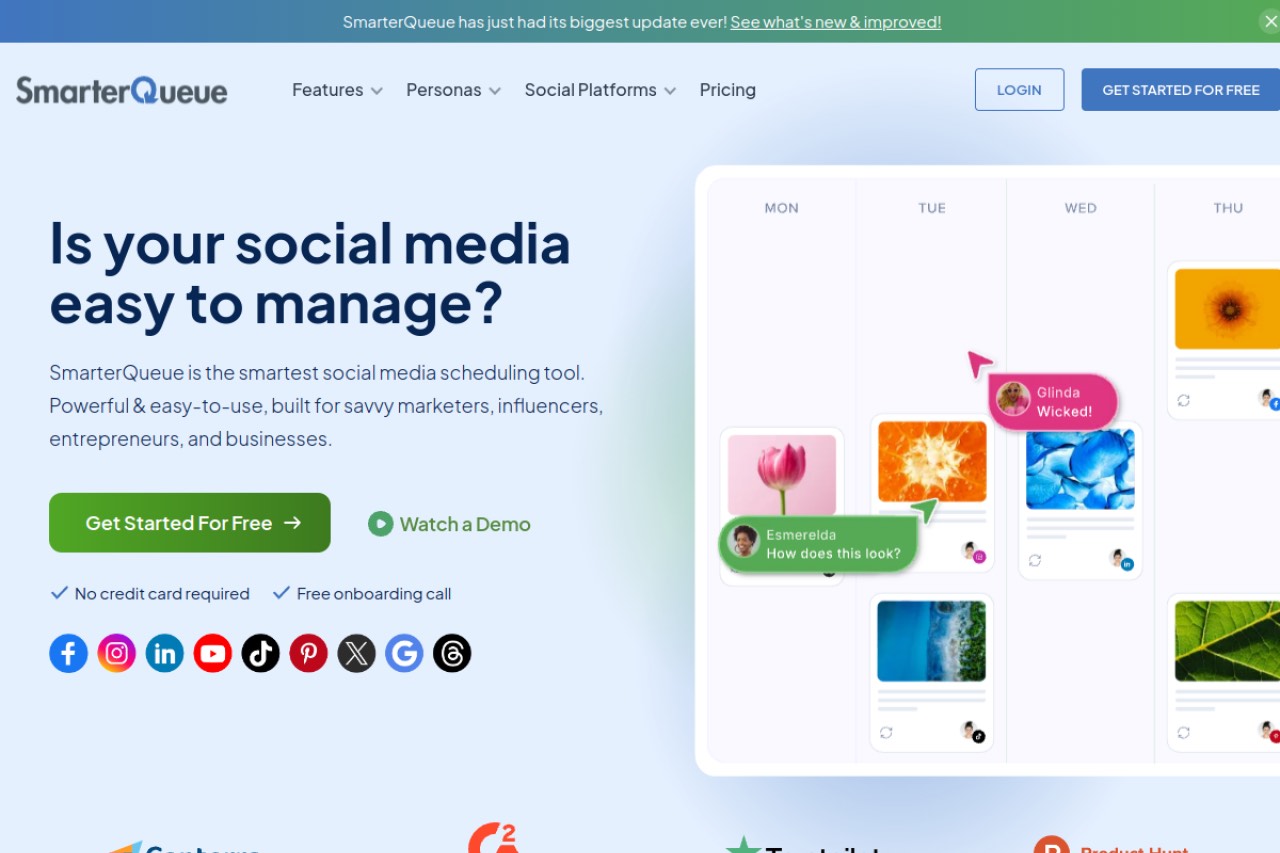
SmarterQueue is the closest match to what Post Planner does. It pairs evergreen categories with a built-in curation feed, so you can find content and recycle it in one tool. It also holds one of the highest ratings here.
Key features
- Recycling with evergreen categories
- Built-in content curation feed
- Category-based queues
Pros
- Curation and recycling in one tool, like Post Planner
- Flexible evergreen categories
- One of the highest Capterra scores in this guide
Cons
- No free plan
- The vendor page shows prices in pounds, so there is no confirmed US price
- Costs more than the cheapest recycling tools
Pricing: Not published in US dollars on the vendor site. The pricing page renders in pounds by default, so check the current rate for your country before you buy.
User reviews: 4.6/5 on G2 from 38 reviews, and 4.8/5 on Capterra from 134 reviews.
Best for: people who specifically want Post Planner's curation and recycling combination in a newer tool.
7. Buffer: best for the simplest scheduling
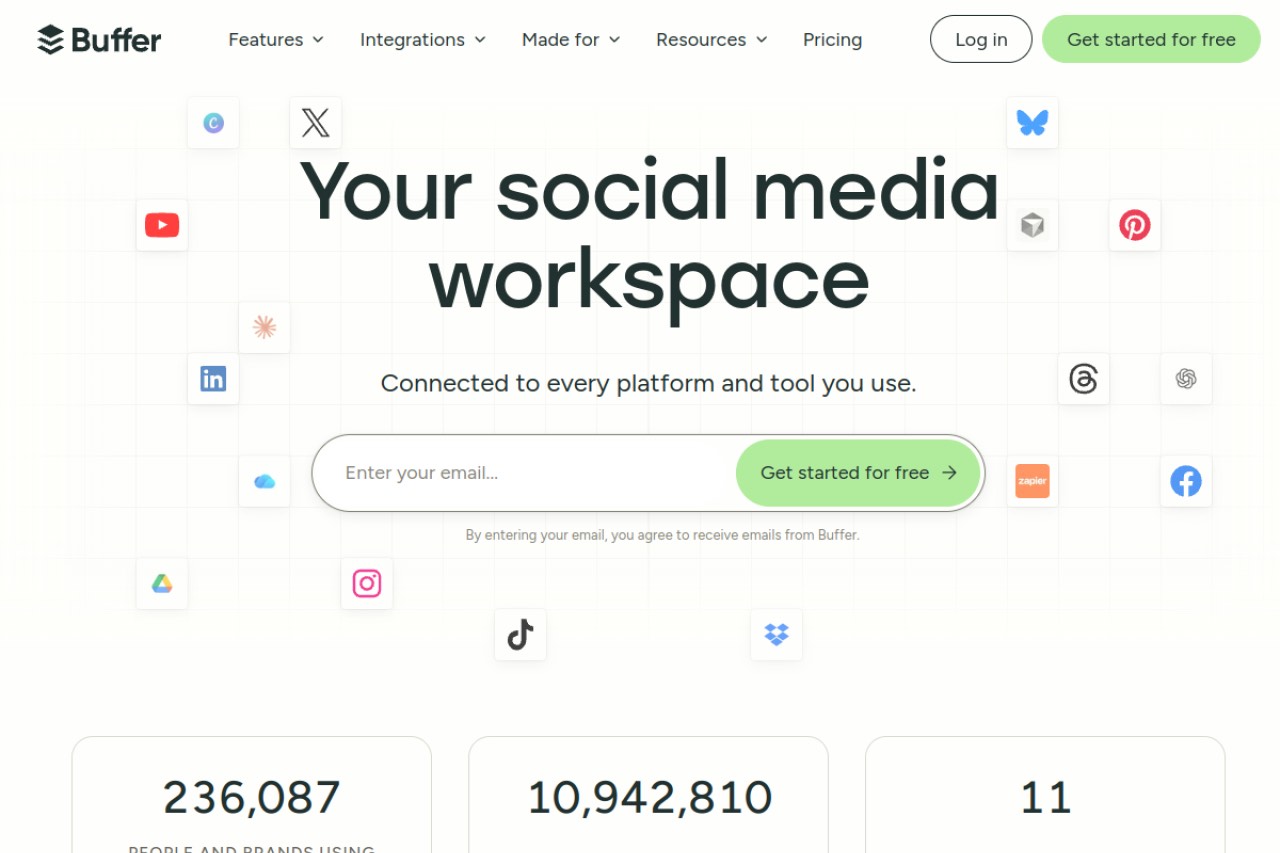
Buffer is the simplest tool here, with the cleanest interface and a free plan. Be clear about one thing first: Buffer has no content recycling at all. It only works as a Post Planner alternative if you are willing to trade recycling for simplicity.
Key features
- Simple cross-platform scheduling
- Light AI assistant for captions
- Community inbox on paid tiers
- Free plan
Pros
- The simplest interface in this guide
- Free plan that does not expire
- Well established and dependable
Cons
- No content recycling at all
- Thin analytics
- Per-channel pricing adds up fast
Pricing: Essentials is $5/mo per channel on annual billing. There is a free plan.
User reviews: 4.3/5 on G2 from 1,039 reviews, and 4.5/5 on Capterra from 1,492 reviews.
Best for: people who want the simplest queue and do not need recycling.
Post Planner vs BuntingPost, side by side
Both tools centre on evergreen recycling. They split on freshness, review steps and how you pay.
| Feature | BuntingPost | Post Planner |
|---|---|---|
| Evergreen recycling | Yes | Yes |
| AI rewrite on each cycle | Yes, every repost is rewritten | No, suggestions repeat |
| Content discovery | AI writes from your reviews, blog, changelog and X account | Curation by niche |
| Free plan | Yes, writes 4 posts a month, published by copy-paste | Cut back over time |
| Pricing model | One-time payment | Monthly or annual tiers |
| Entry price | $49 once (Starter) | $9/mo annual, $14/mo monthly |
| Three-year cost | $49 | About $324 on annual billing |
| Approval step | Every post held for approval | None |
| Analytics | Per-post analytics on paid plans | Limited |
| User rating | No verified rating yet | G2 3.9/5 from 52 reviews. Capterra 4.2/5 from 191 reviews |
Ratings and prices checked July 2026.
What the switch costs over three years
Post Planner Starter is cheap month to month. Over three years the gap gets wide. BuntingPost Starter is $49 once, so three years costs $49.
| Tool | Entry price | Saving vs BuntingPost |
|---|---|---|
| BuntingPost Starter | $49 once | Baseline |
| Post Planner Starter | $9/mo annual | Save $275 (85%) |
| RecurPost Starter | $9/mo | Save $275 (85%) |
| SocialBee Bootstrap | $29/mo | Save $995 (95%) |
| MeetEdgar Eddie | $24.91/mo annual | Save $848 (95%) |
Against Post Planner Starter, BuntingPost saves you $275 over three years, or 85%. That assumes you stay on Post Planner's cheapest tier the whole time. Move up to Growth or Business and the gap widens further.
How to choose the right Post Planner alternative
Four questions narrow the field to one tool.
Which platforms do you need today?
- LinkedIn or X first → BuntingPost. It publishes to both, and other channels may follow.
- Instagram or Facebook today → Publer, RecurPost, SocialBee or Buffer.
- Google Business Profile today → RecurPost.
Do you want recycled posts to stay fresh?
- Yes, fully rewritten each time → BuntingPost.
- Some variation is enough → Publer with Spintax.
- Identical reposts are fine → RecurPost or MeetEdgar.
How do you want to pay?
- Nothing → Publer Free or Buffer Free. BuntingPost Free writes posts, but you publish them yourself by copy-paste.
- Once, and never again → BuntingPost Starter at $49.
- Monthly, as cheap as possible → RecurPost at $9/mo.
Are you handling clients or teammates?
- Yes, with client workspaces → RecurPost Agency.
- Yes, with client approval links and reports → BuntingPost Agency at $199 once.
- No, just my own accounts → BuntingPost or Publer.
Use-case cheat sheet
| Scenario | Best pick | Why |
|---|---|---|
| Post Planner's suggestions feel repetitive | BuntingPost | AI rewrites a fresh version each cycle |
| You want recycling without a monthly bill | BuntingPost | Starter is $49 once, and the evergreen engine keeps your best posts in rotation |
| You want the cheapest paid recycling | RecurPost | Starter is $9/mo with slots on all tiers |
| You want to test the AI writing free | BuntingPost | Free writes 4 posts a month from one source, published by copy-paste |
| You run a local business on Google | RecurPost | Google Business Profile posting on every plan |
| You want to set it up once and forget it | MeetEdgar | Category buckets recycle on their own |
| You want AI to write your content plan | SocialBee | The AI Copilot writes a full strategy |
| You post to Instagram every day | Publer | Instagram is live and the entry price is $5/mo |
| You rely on curated third-party content | SmarterQueue | Curation feed plus evergreen categories in one tool |
| You want the simplest possible queue | Buffer | The easiest interface, with a free plan |
| You manage several client brands | RecurPost Agency | Client approvals and white-label reports |
| You want approval before anything publishes | BuntingPost | Every post waits for your OK |
Frequently asked questions about Post Planner alternatives
What is the best Post Planner alternative?
Is there a free Post Planner alternative?
Who are Post Planner's competitors?
Post Planner vs RecurPost, which is better?
Is Post Planner worth it in 2026?
Frequently asked questions about recycling and freshness
Why do Post Planner's recycled posts feel repetitive?
Which alternatives have real evergreen recycling?
Does BuntingPost support the same platforms as Post Planner?
Frequently asked questions about cost
How much does Post Planner cost?
How much do Post Planner alternatives cost?
Which alternative is cheapest over three years?
The bottom line
If your platforms are LinkedIn and X, BuntingPost is the best Post Planner alternative in 2026. It is the LinkedIn autopilot for founders: it writes posts from content you already publish, keeps the evergreen recycling you rely on, rewrites each repost so it never reads like a rerun, and holds every post for your approval. Starter is $49 once, and the free plan writes posts you publish yourself so you can judge the writing first. See BuntingPost pricing for the plans. If you need Instagram or Facebook today, start with Publer or one of the other free tools instead.
Disclosure: BuntingPost is our product. Where it appears in the comparisons and recommendations above, read it with that in mind. Prices, limits, and ratings for every tool, ours included, are checked against the sources named on this page. Read how we review.
Made it this far? Take the swipe file
30 LinkedIn post prompts for founders, organized by source: your changelog, your customers, your numbers, your opinions. The link is yours immediately, plus the occasional practical guide on LinkedIn for founders.
Optional. No spam, unsubscribe anytime.




