Canva Social Media Scheduler Review: Great for Design, Thin for Publishing
Canva's Content Planner reviewed: what it publishes well, the analytics and recycling it doesn't have, and when a dedicated scheduler beats it.
Pros
- Design tools are the best in this category, and they sit in the same workflow
- You can design and schedule a post without leaving the app
- Huge template library and a reusable brand kit
- Included with Canva Pro at no extra cost
Cons
- Scheduling needs a paid Canva Pro subscription
- No analytics and no performance tracking
- No content recycling and no evergreen queues
- No AI caption writing tuned for social copy
- Shallower per-network publishing than a dedicated scheduler
On this page
Is Canva's social media scheduler worth it?
Canva already makes your posts. The question is whether it should also publish them. Canva's social media scheduler is worth it only if you already pay for Canva Pro. The Content Planner lets you publish a finished design straight to Facebook, Instagram, X, LinkedIn, Pinterest and more at a set time. That is convenient. It is also all it does. There are no analytics, no recycling, no evergreen queues and no AI captions. Most brands use Canva to design and a separate tool to publish. We rate Canva 3 out of 5 as a scheduler. As a design tool it is far stronger.
Key takeaways
| Question | Short answer |
|---|---|
| Overall rating | 3.0 / 5 as a scheduler. Great design, basic publishing |
| User ratings | 4.7 / 5 on G2 from 7,612 reviews. 4.7 / 5 on Capterra from 13,378 reviews. Both cover all of Canva, not the scheduler |
| Best for | People already on Canva Pro scheduling simple, pre-designed posts |
| Biggest strength | Design and schedule in one workflow, with no export step |
| Biggest weakness | No analytics, no recycling, no evergreen automation |
| Entry price | Canva Pro at $15/user/mo, listed on Capterra |
| Best pairing | BuntingPost, the LinkedIn autopilot for founders, alongside Canva for design, if your platforms are LinkedIn and X |
Ratings and prices checked July 2026.
What the Canva Content Planner is
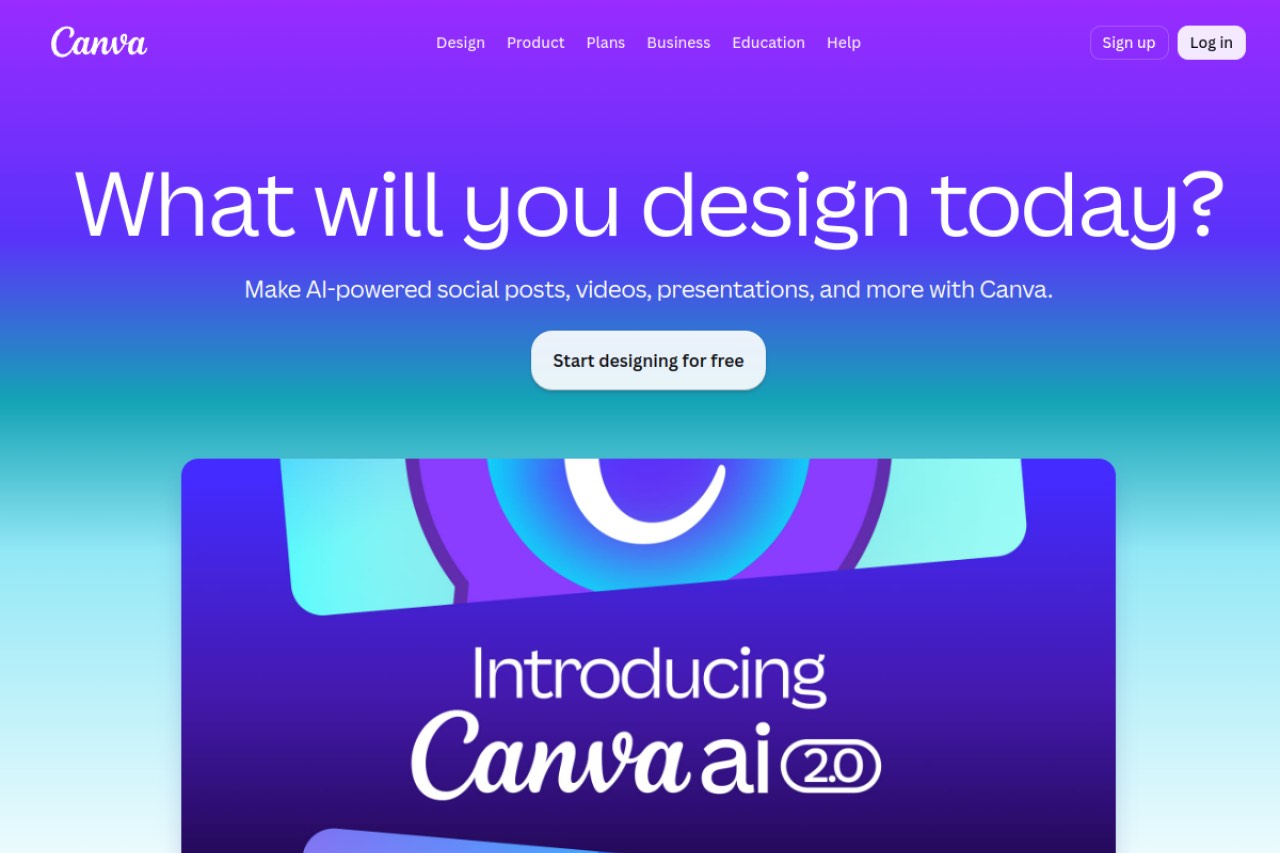
Canva's social media scheduler is called the Content Planner. It is a publishing feature inside Canva's design platform. Canva added it in 2021.
The idea is simple. You finish a design, then schedule it to your connected social accounts. You never export the file or open another tool. Publishing is the last step of a design job, not the main event.
Because it lives inside Canva, the Content Planner targets people who already make their graphics there. It does not recycle content. Once a post publishes, Canva is finished with it.
How to schedule a post in Canva
Scheduling starts from a design you have already made. The whole flow takes five steps.
- Finish your design in Canva as normal.
- Open the Content Planner, or click Share then Schedule on the design.
- Connect and pick the social account you want to publish to.
- Choose the publish date and time on the calendar.
- Write your caption and confirm. Canva publishes the post for you.
The Content Planner supports Facebook Pages and Groups, Instagram Business accounts, X, LinkedIn profiles and pages, Pinterest, Tumblr and Slack. That is decent coverage for a design tool. Each integration is shallower than a dedicated scheduler, though. There is no evergreen reposting and no bulk CSV import.
What Canva scheduling costs in 2026
You cannot buy Canva's scheduler on its own. It comes with a Canva Pro subscription. Capterra lists Canva Pro at $15 per user per month. Canva's own pricing page blocks our checks, and third-party sources disagree with each other, so we quote the Capterra figure and label it as such.
| Plan | Price | Scheduling included? |
|---|---|---|
| Canva Free | $0/mo | No. Design only, with no Content Planner scheduling. |
| Canva Pro | $15/user/mo (listed on Capterra, not confirmed on Canva's site) | Yes. Content Planner scheduling for one person. |
| Canva Teams | Price not published on a source we could verify | Yes. Scheduling plus team collaboration and brand controls. |
Here is the point that matters when you compare schedulers. You are buying a design suite and the scheduler is a bundled extra. That is good value if you want Canva Pro anyway. It is poor value if you only want to schedule posts, because a dedicated tool costs less and does much more. For no-cost options, see our guide to the best free social media scheduler.
Canva scheduling features worth knowing about
Canva's features sit on the design side of the workflow, not the post-publish side. Three stand out. The gaps are just as clear: no analytics, no recycling, no AI captions.
The design-to-schedule workflow
This is Canva's real advantage. You never leave the app. Finish a graphic, click Schedule, and it publishes on your chosen date. If you make every post in Canva anyway, this cuts out the export, download and reupload loop that a separate scheduler forces on you.
The Content Planner calendar
The calendar gives you a month view of your scheduled designs. You can see what is coming and drag posts to new dates. It is clean and visual. It is also lighter than a dedicated scheduler's calendar. There are no queues and no approval workflows.
Templates and the brand kit
Canva's template library is the largest around. The brand kit stores your fonts, colours and logos. This is where Canva is hard to beat. No dedicated scheduler comes close on design assets. That is why many teams keep Canva for creation even when they schedule somewhere else.
Canva scheduler pros and cons
Canva is strong on design and convenience, and thin on everything a scheduler is normally judged on. Here is the honest balance.
Pros
- Design tools are the best in this category, and they sit in the same workflow.
- You can design and schedule without ever leaving Canva.
- Huge template library and a reusable brand kit.
- No extra cost if you already pay for Canva Pro.
- Decent network coverage for a tool that is really a design app.
Cons
- Scheduling needs a paid Canva Pro plan. The free plan cannot schedule.
- No analytics and no performance tracking inside Canva.
- No content recycling and no evergreen queues. A post runs once and stops.
- No AI caption writing tuned for social copy.
- Shallower per-network publishing than a dedicated scheduler.
- Some post types, such as Stories, rely on manual or reminder-based publishing.
What Canva users say on G2 and Capterra
Canva scores 4.7/5 on G2 from 7,612 reviews, and 4.7/5 on Capterra from 13,378 reviews. You can read them on the Canva G2 review page and the Canva Capterra review page.
Read both scores carefully. Each one covers the whole Canva product, not the Content Planner scheduler this review is about. Reviewers on G2 and Capterra alike are rating the design experience, the templates and the value. Treat 4.7/5 as an endorsement of Canva as a design tool. It is not evidence that the scheduler is good.
We cite a review platform only when we read the score off its own page. Ratings checked July 2026.
Canva compared to BuntingPost
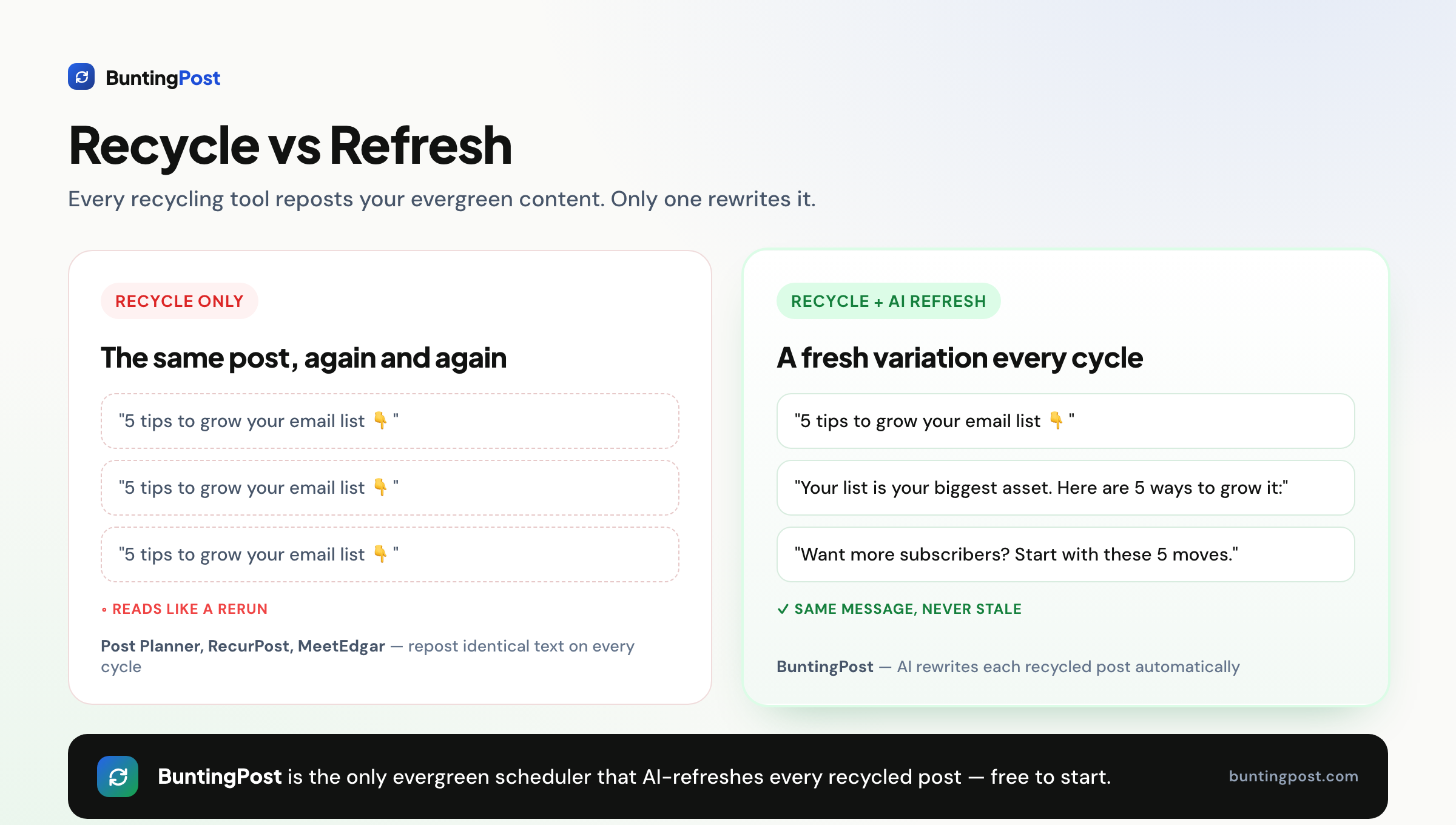
Canva and BuntingPost solve different halves of the same problem. Canva is a design tool with a simple scheduler attached. It publishes each post once.
BuntingPost is the LinkedIn autopilot for founders, used by 129+ founders. You connect sources you already publish, such as your testimonial pages, blog RSS, changelog, or X account, and the AI writes LinkedIn posts from them in your voice, aimed at the audience you define. Your best posts also go back into rotation, rewritten fresh, never word for word. Every post is held for you to approve, edit, or skip before it publishes. BuntingPost is our product, so read this as the maker's pitch.
One caveat matters. BuntingPost publishes to LinkedIn, including company pages, and to X, with per-post engagement analytics. Instagram is not supported, and other channels may follow. If Instagram is your main channel, Canva's Content Planner or another dedicated scheduler is the better pick today.
| Feature | Canva | BuntingPost |
|---|---|---|
| Main purpose | Design tool with basic scheduling | LinkedIn autopilot for founders |
| Free scheduling | No. Needs Canva Pro | No. The free plan writes 4 posts a month; you publish by copy-paste. Autopilot from $49 once |
| AI writing from your existing content | No | Yes. Testimonials, case studies, blog RSS, changelog, X account |
| Content recycling | No | Yes, on paid plans. Best posts rerun, rewritten fresh |
| AI writing | No social-tuned AI captions | Yes. Writes whole posts in your voice, under your instructions |
| Analytics | No in-app post analytics | Yes. Per-post engagement, with AI insights on Pro |
| Design tools | Best template library in the category | None. Pairs with Canva |
| Pricing model | Bundled with Canva Pro at $15/user/mo (per Capterra) | Pay once: Starter $49, Pro $99 |
The three-year cost, worked out
Canva Pro at $15/user/mo costs $540 over three years. BuntingPost Starter is $49 once, so three years costs $49. That is a saving of $491, or 91%. The tools do different jobs, though, so the fair comparison is not either-or. A workable setup for founders on LinkedIn and X is Canva for design plus BuntingPost for autopilot publishing. Our best free social media scheduler guide covers free tools you can pair with Canva instead.
When Canva scheduling is the right call
Use Canva scheduling if you already pay for Canva Pro and you only need to send out a handful of pre-designed, image-led posts. That is a real use case and Canva handles it well.
Look elsewhere if you need analytics, evergreen recycling, team approvals or AI-written captions. For those jobs you want a dedicated scheduler working next to Canva, not the Content Planner on its own.
Frequently asked questions
What Canva scheduling can do
Does Canva have a social media scheduler?
Which platforms can Canva schedule to?
Does Canva recycle content?
Price and value
Is Canva's scheduler free?
How much does Canva Pro cost?
Ratings and reputation
What rating does Canva have?
Alternatives and pairings
What is a good Canva scheduling alternative?
Canva or Adobe Express for scheduling?
Our verdict on Canva scheduling
Canva earns 3 out of 5 stars as a social media scheduler. As a design tool it is hard to beat, and the Content Planner is a convenient way to send out simple, pre-designed posts. But it sits behind the Canva Pro paywall and offers no analytics, no recycling and no AI captions. It cannot replace a dedicated scheduler. Design in Canva and publish with a purpose-built tool. If your platforms are LinkedIn and X and you want posting to run itself from content you already have, that tool is BuntingPost. For Instagram-first work, our guide to the best free social media scheduler covers the field.
Disclosure: BuntingPost is our product. Where it appears in the comparisons and recommendations above, read it with that in mind. Prices, limits, and ratings for every tool, ours included, are checked against the sources named on this page. Read how we review.
Made it this far? Take the swipe file
30 LinkedIn post prompts for founders, organized by source: your changelog, your customers, your numbers, your opinions. The link is yours immediately, plus the occasional practical guide on LinkedIn for founders.
Optional. No spam, unsubscribe anytime.




